Built-In Spell Check Ignores Built-In Dictionary

Here's a thing: Apparently, Mac OSX's built-in spell checker — you know, the thing that leaves all the little red dotted lines all over the misspellings in your text files — uses a separate dictionary than Mac OSX's built-in dictionary that pops up when you hover over a word and press command-control-d.

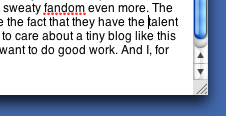
To wit: I was typing up my latest blog post and the spell checker bitched about this:

The Spell-Checker: Fandom Not a Word?
(click for larger view)

The little red dotted line means I've typed something that isn't in the dictionary. So, being fairly certain that fandom was both a word and that I'd spelled it correctly, I hovered and pressed command-control-d and got this:

The Dictionary: Oh, But it is!
(click for larger view)

See? See that? I was right! Stupid spell-checker! What do you know?

But seriously, I find it somewhat strange that the spell-check dictionary differs from the OS dictionary. I realize that the spell-check one is customizable, whereas the OS one is not, but it seems like they should at least start off the same, doesn't it?

Or maybe it's just me.

Night of the Living Betas

So recently I found myself in the Land of the Beta Software. It all started with my post comparing Transmit and Yummy FTP two excellent FTP utilities from two excellent, small Mac developers, Panic and Yummy Software, respectively.

The day after I posted the review, I got a note in the comments section from Cabel Sasser of Panic software. He said, exactly this:

We at Panic are definitely pro-consumer-choice, so we're very glad that you found an FTP app you like -- even if it isn't ours. :)

On the other hand, we're anti-bugs! So, since we're putting the finishing touches on a new update to Transmit, we'd love to know if the new version fixes your issues with symbolic links, because we largely suspect it will. Please drop me an email [cabel at panic dot com] -- if you're at all interested -- and I'll send you the latest build. I'd love to see if it's an improvement, regardless of if you wind up returning to our ever-welcome, loving arms. :) Thanks in advance!

-Cabel / Panic

I thought it was pretty cool of Cabel to step up like this, and I had happily used Transmit for a long time once, so I really wanted to help out. I offered my assistance and we had a friendly correspondence. It was nice and I felt flattered to even have my opinion matter to someone, 'cause hey, let's face it, low self-esteem runs in my family.

Next day I got and email from Jason, of — surprise, surprise — Yummy Software.

Thanks for the plug :)

Following up on Cabel's post, I'm also working on a new version, with lots of very nice new things. I can't promise to give you a hug, but I can assure you that the update will be free to registered customers and it will provide the trouble-free FTPing you're accustomed to. You're more than welcome to give the beta a try :)

-Jason
Yummy Software

Wow. I'm stunned. A similar correspondence followed this comment. Very friendly on both counts. Both companies gave me beta copies of the latest builds of their software. It was cool.

I don't mind admitting I'm a big sweaty fan of the large majority of the Mac development community. But especially small companies that make great products that I use or have used. And I'm deeply flattered to have registered on these guys' radar at all, let alone to have been given an opportunity to sneak a peek at their latest wares. This recent contact has affirmed my sweaty fandom even more. The thing I like about these companies is that, despite the fact that they have the talent to make amazing software, they're small enough to care about a tiny blog like this one, and they're actually nice people who really want to do good work. And I, for one, truly admire and appreciate that work.

Thanks, guys. Keep it up.

Tiger Lab Migration Part 11: Panasas Crashes and Caches

The last time we visited this topic, I thought we were done. Well, turns out I was wrong.

Things are, for the most part, working well now. Finally. We're running Tiger and we've managed to iron out the bulk of the problems. There is one issue which has persisted, however: the home account RAID.

To refresh, our network RAID, which is responsible for housing all our users' home account data, is made by a company called Panasas. Near as I can figure, we've got some experimental model, 'cause boy does it crash a lot. Which is not what you want in a home account server, by any means. After upgrading the Panasas OS awhile back, the crashing had stopped. But it was only temporary. Lately the crashing is back with a vengeance. Like every couple of days it goes down. And when it goes down, it goes down hard. Like physical-reset hard. Like pull-the-director-blace-and-wait hard. Like sit-and-wait-for-the-RAID-to-rebuild hard.

Again: Not what you want in a home account server.

So we've built a new one. Actually, we've swapped our backup and home account servers. See, awhile back we decided it would be prudent to have a backup of the home account server. Just something quick 'n' dirty. Just in case. This was built on a reasonably fast custom box with a RAID controller and a bunch of drives. It's a cheap solution, but it does what we need it to, and it does it well. And now we're using it as the new home account server. So far it's been completely stable. No crashes in a week-and-a-half. Keep in mind, this is a $3000 dollar machine, not a $10,000 network RAID. It's not that fast, but it's fast enough. And it's stable. By god it's stable.

And that's what you want in a home account server.

Moving to the new server — which, by the way, is a simple Linux box running Fedora Core 4 — has afforded us the opportunity to change — or, actually, revert — the way login happens on the Macs. In the latter half of las semester, we were using a login hook that called mount_nfs because of problems with how Mac OS X 10.4.2 handled our Panasas setup, which creates a separate volume (read: filesystem) for each user account. Since we're now just using a standard Linux box to share our home accounts, which are now just folders, we have the luxury of reverting to the original method of mounting user accounts that we used last year under Mac OS X 10.3. That is, the home account server is mounted at boot time in the appropriate directory using automount, rather than with mount_nfs at login. Switching back was pretty simple: Disable the login hook (by deleting root's com.apple.loginwindow.plist file), place a Startup Item that calls the new server in /Library/StartupItems, reboot and you're done, right? Well, not quite. There's one last thing you need to do before you can proceed. Seems that, even after doing all of the above, the login hook was still running. I could delete the scripts it called, but it would still run. Know why? This will blow your mind. Cache.

Yup. It turns out — and who would have ever suspected this, as it's so incredibly stupid — login hooks get cached somewhere in /Library/Caches and will continue to run until these caches are deleted. I'm sorry, but I just have to take a minute and say, that is fucked up. Why would such a thing need to be cached? I mean maybe there's a minimal speed boost from doing this. The problem is that now you have a system level behavior that's in cache, and these caches are fairly persistent. They don't seem to reset. And they don't seem to update. This is like if your browser only used cached pages to show you websites, and never compared the cache to files on the server. You'd never be able to see anything but stale data without going and clearing the browser cache. At least in a browser — 'cause let's face it, this does happen from time to time (but not very often) — there is always some mechanism for clearing caches — a button, a menu item, a preference. In Mac OS X there is no such beast. In fact, the only way to delete caches in Mac OSX is to go to one or all of the various Cache folders and delete them by hand. Which is what I did, and which is what finally stopped the login scripts from running.

If this isn't clear evidence that Mac OS X needs some much better cache management, I don't know what is.

In any case, we're now not only happily running Tiger in the lab, but we've effectively switched over to a new home account server as well. So far, so good. Knock wood and all that. Between the home account problems, the Tiger migration, and getting ready for our server migration, this has been one of the busiest semesters ever. Though I keep this site anonymous because I write about work, I just want to give a nod to all the people who've helped me with all of the above. I certainly have not been doing all of this alone (thank god) and they've been doing kick-ass work. And, though I can't mention them by name, I really appreciate them for it. At the dawn of a new semester, we've finally worked out all of our long-standing problems and can get down to more forward-looking projects.

So ends (I hope) the Tiger Lab Migration.

List Mania and a Plug for Yummy

This seems to be one of those months in which everyone and his brother is hawking some kind of "Best Of... for the Mac" list. We've got MacWorld's picks. There's one from TUAW. Another from Paul Stamatiou, whoever that is. One from madsenblog. The list goes on and on. Frankly, I think these lists are dumb. The fact that there are so many, and that they never agree with one another—and the fact that I hardly use any of the listed apps though I'm constantly on one Mac or another—proves that there are no "must-have" Mac apps for everyone. Everyone is different.

But what's really gotten my goat is that fact that some of my favorite apps have been left off these lists entirely, often in favor of inferior software. For instance, they often mention Quicksilver, when Butler is, in my humble opinion, a superior product in many ways. And Transmit seems to make nearly every list, despite the fact that there is a superior product known as Yummy FTP. I'm not knocking those products. They are very good. But it's about time someone mentioned some alternatives, particularly ones that might be better for some folks. I'd hate to see them die for lack of exposure. I'm not going to start my own list. ('Cause I think they're dumb, remember?) But I do want to give a shout out to the under-represented. Today I'll be comparing Transmit and Yummy FTP. Soon I'll do a face-off between Butler and Quicksilver. If you haven't checked out these apps, do yourself a favor and forego the conventional wisdom. You'll be happy you did.

I've been a Transmit user for years now. And I've been none too shy about singing its praises. But lately it's had its problems. Don't get me wrong; I like Transmit. It's a great product and a very competent file transfer utility. I even paid for the upgrade from version 2 to version 3. Boy was I jazzed when I saw all those new features: column view, in particular, struck my fancy. Finally I could move a file up one directory without doing a "move" operation. I also liked the way Transmit matched the functionality of the FInder. So I bought it.

But after some use, I found some problems with Transmit. My main difficulty is that Transmit has problems with symbolic links. Particularly in column mode. Sometimes it follows links just fine. Other times I get this error:


Transmit Error: Dude, It's Right There
(click for larger view)

Or it just doesn't follow the link at all. When this happens, symlinks just stop working, and the only fix is to log out of the server and log back in. Refresh doesn't do it. Also, following symlinks, when it does work, takes me inside the linked folder but obliterates the file path—I can no longer see the folder that contains the symlink once I've navigated into it.


Transmit Behavior: Help! I've Followed a Symlink and I Can't Go Up!
(click for larger view)

There were also weird inconsistencies with file downloads, which I honestly can't remember as it's been some time since I've used the program. I have to admit, these problems have gotten better in the latest iterations of the software. Transmit was, and continues to be, a wonderful application, but it really has some serious, long standing problems with symlinks in column mode.

Now there is a contender.


Yummy: Follows Links; Less Filling
(click for larger view)

Yummy is the same kind of program, and despite my long-term relationship with Transmit, I've switched to Yummy. For some reason, Yummy hasn't gotten much hype, but if you read the reviews on VersionTracker, people who use this program absolutely love it. Many are former Transmit users. Many switch for the features it offers. I switched simply because I found that Yummy was quite capable of handling symlinks properly and had all the other goodness found in Transmit. I have found Yummy to be extremely stable, and, though I don't use this sort of program a whole lot, I've never had a single problem with it. And one last thing: apparently Yummy's customer support is fantastic. I've only read about it as I've never needed any help with this trouble-free app.

If you're happy with Transmit, that great. Bully for you. But if you're in the market for a new file transfer application—or if you've become dissatisfied with your current one—Yummy is a great choice, and one that folks, unfortunately, don't mention nearly enough.

Odds 'n' Ends

Today sees a spate of short new posts. Generally I tend to write long, rambling posts, but there have been a number of things I've noticed of late on my system that I wanted to write about. Mostly just small Mac OS X observations, and a hint or two and a troubleshooting post as well. Nothing earth-shattering here, but hopefully some fun and/or informative stuff.

So read on, and enjoy!

And a couple other general blog notes:
I'll most likely not be posting over the holiday, or at least not much. Also, in the pipe is a comparison of two great application-launcher-type utilities — Quicksilver and Butler — inspired by the debate raging (okay, politely taking place) at this TUAW post. If you're a fan of either of these, curious about them, or love one and are curious about the other (which is the position I'm in), you'll want to keep your eyes peeled for the face-off. Wow, that sounded weird. You'll want to watch for the article.

Okay, kids. Happy holidays.