A Lack of Focus

I've had an ongoing beef with Leopard since it's inception. The problem is difficult to describe, but I've had a lot more experience with it since the last time I wrote about it, and I think I now have a better idea of what's going on. So I wanted to revisit the issue as we're near the eve of the release of Snow Leopard, and as I feel better equipped to talk about it. Also because it drives me fairly batty.

The problem can best be described like this: An action taken by an application that is in the background can, under certain conditions, cause that application's window(s) to come to the foreground, covering the application that is currently active. Perhaps an example is in order:

  1. I launch Safari.
  2. Before Safari loads completely, I immediately command-tab to the Finder which has a window open.
  3. When Safari finishes loading, the Safari window covers the Finder window.
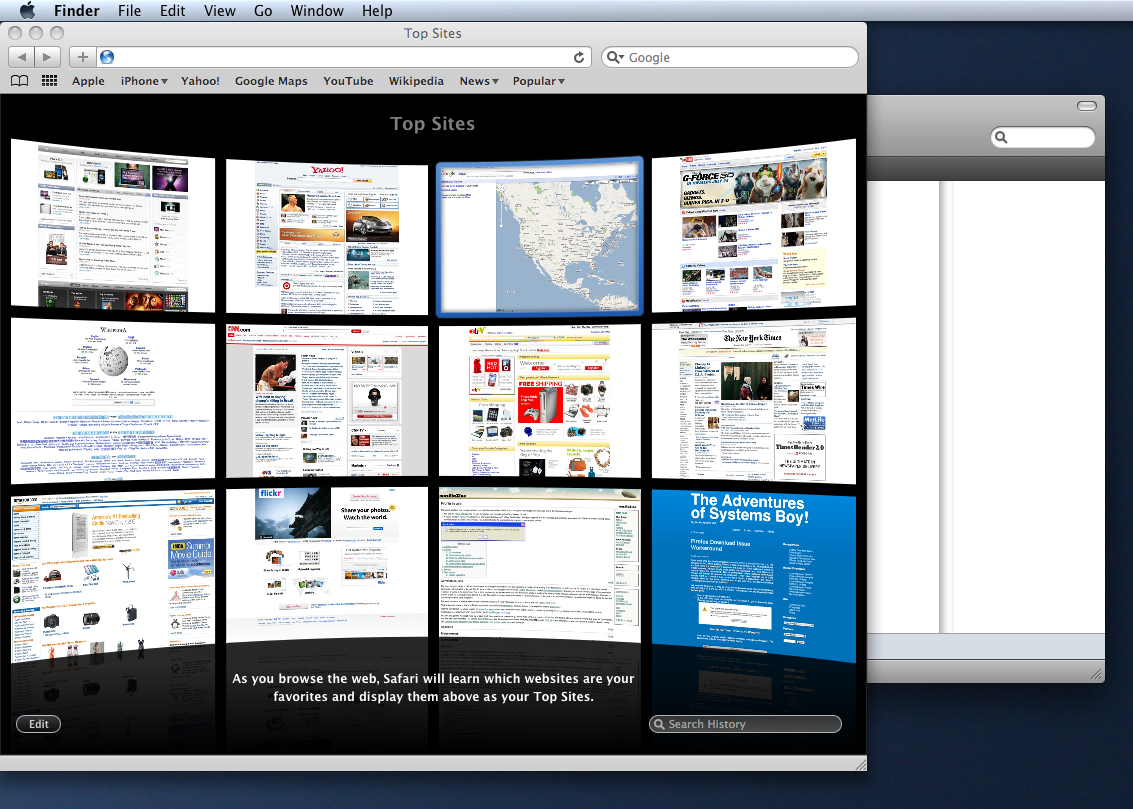
Finder Obscured: This Shouldn't Be Possible

To rectify this rather odd state of affairs, a quick command-tab to Safari and then back to the Finder does the trick. Not a huge deal most of the time, sure. But let me cite some examples where it becomes a slightly bigger deal. Here's a similar scenario, but now I'm working in TextEdit:

  1. I'm typing in TextEdit.
  2. I launch Safari.
  3. Before it completely loads, I command-tab back to TextEdit and continue typing.
  4. Suddenly, Safari finishes loading and obscures my TextEdit document window; I can no longer see what I'm typing.
  5. To continue working in TextEdit I must command-tab twice as per the previous example.
  6. Moreover, by all appearances but the menubar, Safari is now the active application, which can trick me into thinking I can start typing in Safari. But when I do this I type something — the wrong thing — into my TextEdit document.
  7. And what if I type something like command-a (Select All) and then delete? Now I've just deleted the contents of my TextEdit file — a file I can't even see.
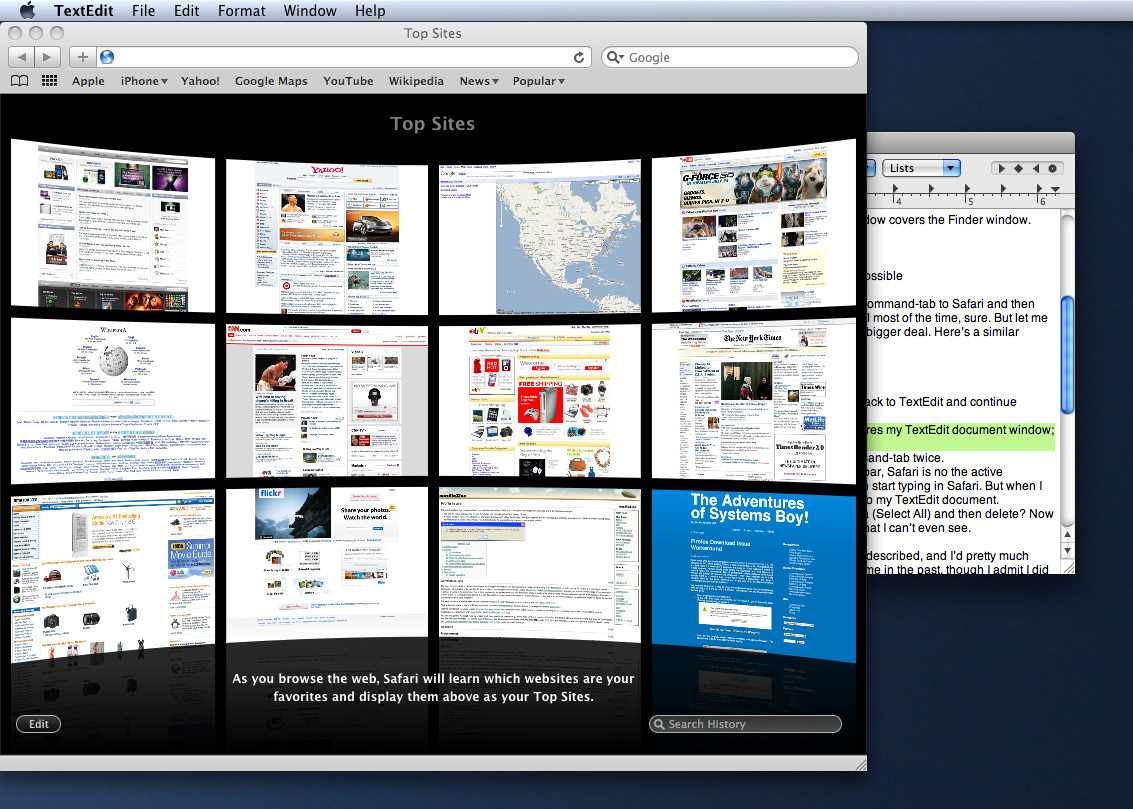
TextEdit Obscured but Active: Where Am I Typing?

That's a potentially destructive scenario I've just described, and I'd pretty much swear that something like that has happened to me in the past, though I admit I did not document it and the circumstances were probably somewhat different.

Beyond the slightly irksome and the potentially destructive, here's one more exceptionally annoying scenario that I encounter on a daily basis:

  1. I log in to my Mac.
  2. Login items begin to launch.
  3. I open a Finder window and begin to manage files.
  4. As login applications finish loading completely, they steal focus from the Finder.
  5. This makes me unable to work on my Mac until all login items have finished loading completely.

I originally thought this was only happening on my slower hardware, but it happens on every computer I use: My old Powerbook, my work G5 and my 8-core Intel home workstation.

As I've said in the past, this is something I would describe as a bug. Background applications should never obscure active applications unless explicitly requested to do so (like when you bring forward a window from another application, which both activates that application but also leaves all windows but the requested one in the distant background). This is my major complaint with Leopard with which I am otherwise very happy. But it's a big complaint. It's a problem that affects me every day, and all day long. It's a huge usability gaffe in my book, and I'm amazed Apple hasn't addressed it already.

For a quality-obsessed company like Apple and an incredibly usable OS like Mac OS X, this lack of focus seems like a huge oversight. And for Apple's detail-obsessed fans this seems like something that would bother a lot of people. But I've only found one lone short thread on the matter in Apple's discussion forums, and one other thread on a very similar (possibly the same) problem. But no answers.

The good news is that Snow Leopard is right around the corner, and Snow Leopard is all about making improvements to the existing system. Snow Leopard is a refinement release. It's all about the details. So I sincerely hope — and if anyone out there can speak to this, please do get in touch — that Leopard's lack of focus is addressed. That would be most excellent.
Firefox Download Issue Workaround

Quite some time ago I wrote about an extremely annoying behavior in Firefox 3. The behavior is that, when quitting Firefox 3 while downloading a file, the alert that tells you that there is a download in progress and asks you if you really want to quit, no longer appears. Firefox simply quits during the download, and then attempts to resume when it's relaunched. This is problematic mainly because, even though Firefox will attempt to resume the download, I may have forgotten about it and actually want to continue it now — not when Firefox is relaunched. But Firefox 3 remains silent on the issue, allowing you to quit and stop the download without providing you any options or feedback.

I've recently discovered a way to bring the old behavior back. I think this might only exist in Firefox v3.5 and up, which is why I'm only finding it now. But it's pretty simple. So here goes:

  • Open a new window in Firefox 3.5.
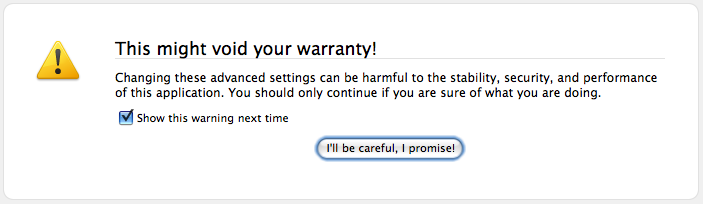
  • In the URL field enter about:config and hit return to go to the config page. (Dismiss the warning, of course.)

    Config Warning

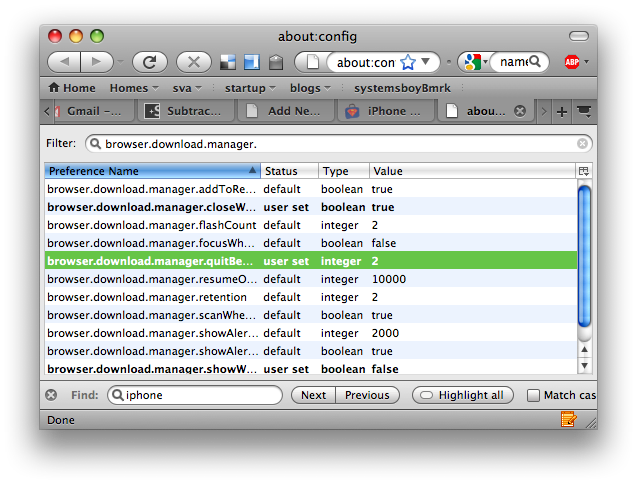
  • Look for the property called "browser.download.manager.quitBehavior". The easiest way to find it is to filter the list at the top.

    Firefox's Config Page

  • Once you've found the property, double-click it and change its value to 2.
  • Restart Firefox.
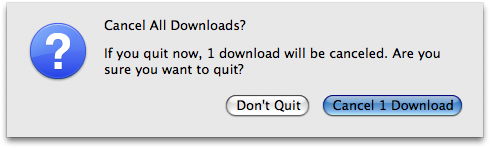
Now, any time you quit Firefox, if there's a download in progress, you'll be alerted to that fact and asked what you want to do.

Download Alert

Of course I'd love it if the old behavior didn't cancel the download, but at least now I'll get a warning if there's one in progress, which I prefer. And I can always force resume in the download manager.

Google's Definition of Beta

So for, like, forever Google apps — in particular, Gmail and Google Calendar — have bore a beta label. Now, no one has any idea why this has been the case, but this week Google has decided to remove the beta label with little more than PR-speak as an explanation:

"We realize this situation puzzles some people, particularly those who subscribe to the traditional definition of “beta” software as not being yet ready for prime time." (via John Gruber)

Gruber himself retorts:

"Imagine that — people thought that what Google meant by “beta” was what everyone else means by “beta”. Shocking"

Classic Gruber.

Now, I've heard Google spin it this way all over the web, but what I keep wondering is what Google's special, newfangled, hi-falutin' definition of beta actually is. The closest I've seen is this:

"Others say that, over the last five years, a beta culture has grown around web apps, such that the very meaning of "beta" is debatable. And rather than the packaged, stagnant software of decades past, we're moving to a world of rapid developmental cycles where products like Gmail continue to change indefinitely."

Um... What the hell are you guys talking about? Really. What is a "beta culture?" Seriously. What is that? And are you telling me that Google's apps are the only ones to "change  indefinitely." That's funny, because I keep running these software update thingies on my computer and all its applications. And every year or so I install new versions of said apps, loaded with new features. So tell me again: How is your definition of beta different than everyone else's? And why in the name of sweet merciful heaven has Gmail been beta for the past five years?

Ridiculous! And the more you try to spin it the more arrogant and full-of-it you come across.

Just admit it. You're afraid to commit. It's okay. We get it. There's no shame in that.

The Beta Setting

The oddest thing is that Google clearly thinks of the term beta as completely meaningless:

"Don't despair... for those of you long-time Gmail-ers who might feel some separation anxiety, we've got a solution. Just go to Settings, click on Labs, turn on "Back to Beta," and it'll be like Gmail never left beta at all."

That's right. You want the beta label back? Just turn it on. Which begs the question, why did they use the term for the past five years?

It's just stupid.

iPhone Hand-Me-Down

When I got my new iPhone 3GS I wondered what to do with the old one. After activating the new phone my 1st Gen was still loaded with all my content, and still functioned like it always did, just without phone functionality. In other words, an old iPhone is still a pretty cool thing to have as a gaming and media device. And someone at work was interested in having just that.

So I'd finally found my old iPhone a good home. But I wanted to erase it and reset everything before I gave it away, just to be on the safe side, and to give its recipient that out-of the-box experience — that new iPhone smell, if you will. I searched like mad on the Internets for the best way to securely erase and reset the phone while still retaining iPod functionality. The questions I had were:

  1. Can I update a deactivated iPhone to OS version 3.0?
  2. Can I erase the iPhone securely?
  3. If I erase the phone, can I still use it as an iPod without setting it up again as a phone with AT&T?

The short answers are: 1) yes; 2) yes; and 3) yes. All good news!

My first concern was upgrading to iPhone OS 3.0. I had forgone doing so on my old phone, which was a bit of an oversight in retrospect. No worries, though. Upgrading the old phone was completely straightforward and didn't break anything. The thing was still working as an iPod, and my new iPhone 3GS was still acting like a phone. So far so good.

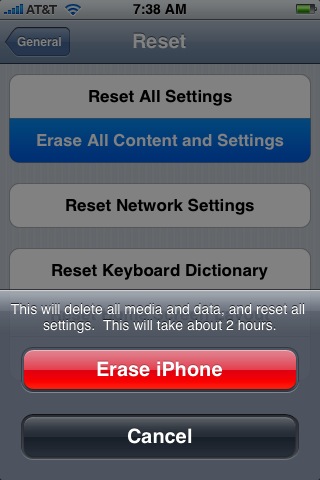
My next concern was erasing the phone, and I wanted to do so as securely as possible without having to jailbreak the thing. iPhone OS 2 and up (from what I've been able to glean) have a function called "Erase all Settings and Media." This can be found in the Settings->General->Reset menu. Running this writes data over the entirety of the iPhone's internal flash storage (again, from what I can glean). It's akin to the Finder's "Secure Empty Trash." Not the most secure deletion, but good enough for most uses.

Erase All Content and Settings

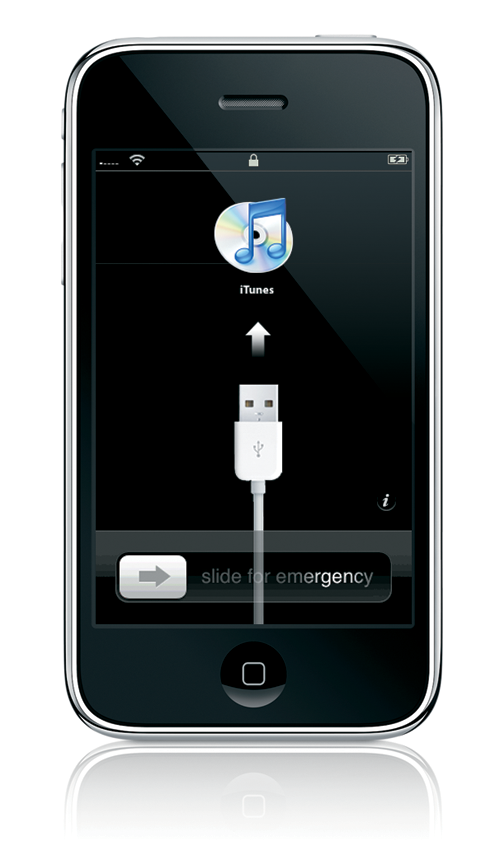
Wiping the phone in this manner took about two hours. What I had when I'd finished was a pristine iPhone, with none of my data, running OS 3.0. But the phone at this point was asking me to connect to iTunes, and I was somewhat worried I'd have to set it up as a phone again in order to use it at all.

iPhone Activation... Sort Of...

At this point iTunes was asking me if I wanted to restore the phone from a backup, or if I wanted to set it up as a new phone. I certainly didn't want to restore the data I'd just erased, and I was a bit hesitant to hit "Set up as new phone" as I didn't want this to become my phone again. I'm fairly sure doing this would set the phone into an non-phone iPod state, but it's not completely clear.

It's New to Me

Not wanting to take the chance, I decided to log in as another user on my system, one that had never seen any of these iPhones, a fresh, clean account. In this fresh account I activated the phone, and after doing so, it was, indeed an iPod only. No phone capabilities were restored.

One last thing: Maybe I'm being paranoid, but I'm keeping my old SIM card. I've popped it out and I'll store it in the iPhone 3GS box. Not sure if I need it, but I know it's required for phone use, and I'd rather not give my co-worker that ability. My understanding is that if you're giving the SIM card away, you should notify AT&T, but I'm not entirely sure why. So I'm forgoing the hassle and boxing the thing. Better safe than sorry.

So, after updating and securely erasing my 1st Gen iPhone it's now ready for retired life. As an iPod.

I'll miss you baby! Be happy!