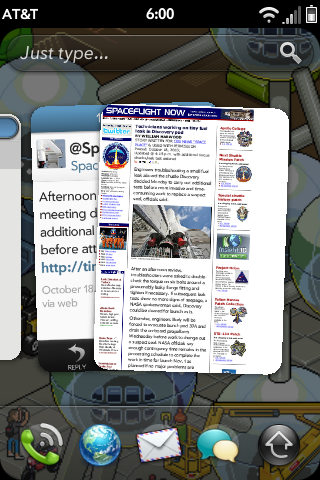
My reaction to HP's (nee Palm's) webOS is diametrically opposed to that of my reaction to Windows Phone 7. The webOS looks decidedly Smartphone 1.0, with chintzy, plasticky looking graphics and entirely too much information. I'm not sure what people find so appealing about the OS, but I can't imagine it's the look of it. To my eye it comes across like a cheap knock-off of iOS.
Windows Phone 7
First off, apologies for the incredible dearth of posts for the past 3 months (Jesus!). I should have more on that soon. Suffice to say, I'm not dead.
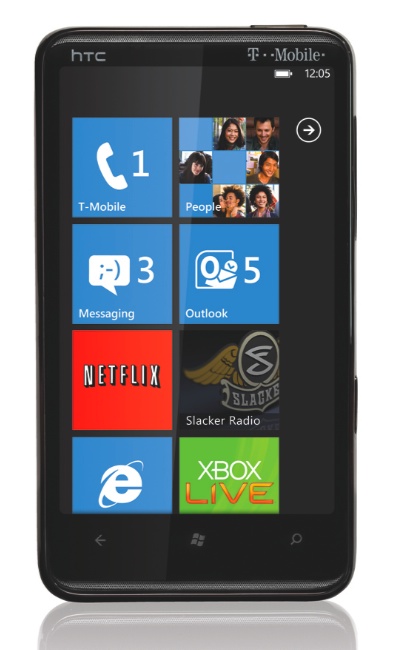
Meantime, I wanted to just point out the Ars review of Windows Phone 7, which I'm presently in the midst of skimming. And I have to say, I'm impressed. It looks very promising and it's the most attractive, forward thinking thing I've seen come out of Redmond in, well, maybe since I started using computers, which would be about 12 years.
I'm intrigued by the largely text-based visual approach, and the incredibly spartan, almost institutional iconography. In a world of imagery overload there is something very appealing to me about this look, and I'd imagine it will appeal to the business set as well. It's classy but not cutesy the way iOS can be.
It's not often (ever?) I post something positive about a Microsoft product. And I don't know if it will be successful. But I have to admit, Windows Phone 7 looks, if nothing else, interesting.
A Few Surprises
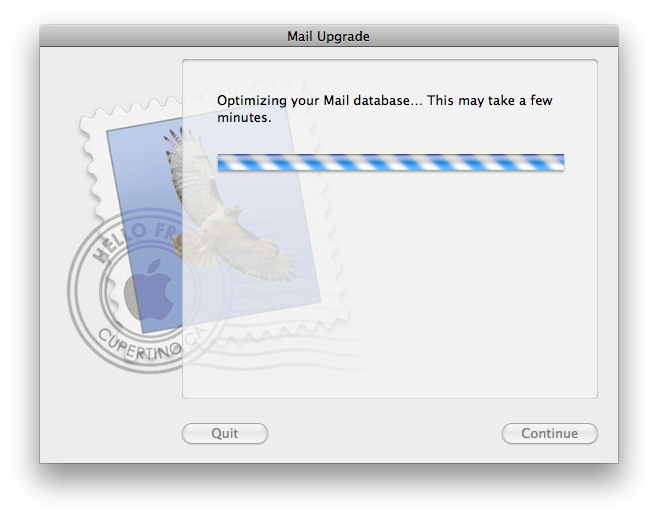
First off, I had no idea that the Mac OS X 10.6.4 update affected Mail. Probably because Apple never bothered to mention it in the release notes. Nonetheless, this greets me after launching Mail post-update:
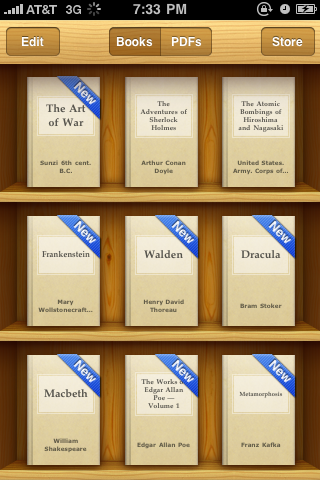
I'm also surprised at how much I'm liking iBooks for my iPhone. There are tons of free, interesting-sounding books, and it's great to have these handy when I just need a little something to keep me occupied. It also lets me read PDFs, which is awesome.
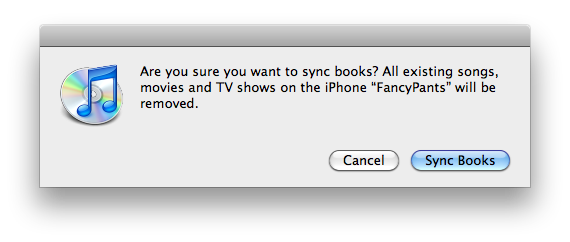
But maybe the biggest surprise with iBooks is that if I want to sync my books to my computer I'll have to delete all the songs, movies and TV shows from my iPhone:
Hmmm... That seems awful drastic. I think I'll pass.
If anyone knows how to sync my books to my computer — and what I might do with them once I have them on there — let me know. For now I think I'll forego deleting all my data.
And check out iBooks. It's surprisingly good.
My Favorite iOS 4 Changes
Much has already been said about the high-profile features in the new iOS 4. But there are also a bunch of smaller, subtler changes that I really enjoy.
Gmail settings for mail, calendars and notes are now all integrated and accessible from one attractive page.
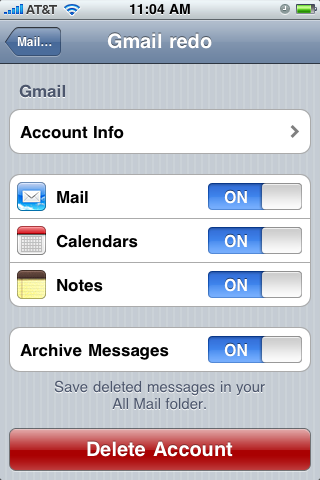
To take advantage of this change you'll have to reset your Gmail account. Afterwards you'll also get the custom Gmail icon in your Mail application…
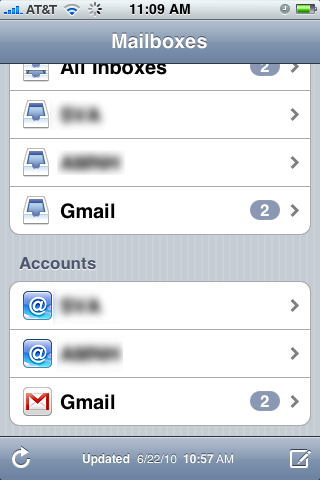
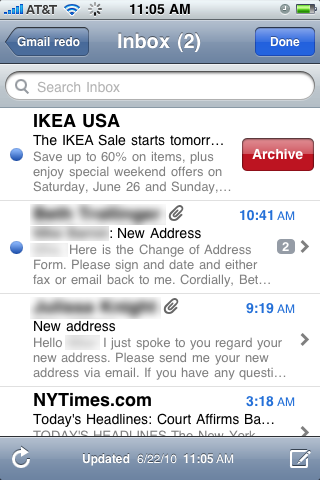
…as well as the option to Archive instead of delete Gmail emails.
Notes
I don't know about you, but I use Notes all the time. It's terrifying to me not to have a better backup of these things than what iTunes provides. At long last, in iOS 4, we get over-the-air note syncing.
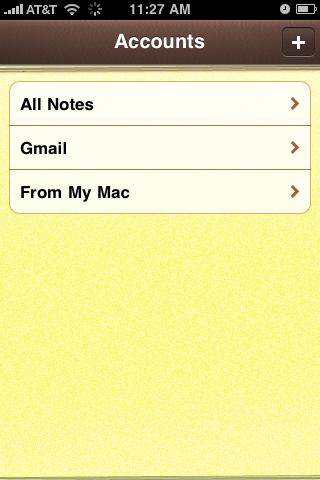
To Gmail, no less. This is sweet.
Photos
The Photos app now remembers the state it was in. This is great because I use it for, among other things, subway maps, which are broken up into several JPEGs. In previous iOSes, every time I quit the Photos app I'd have to navigate back to the Subway Maps gallery, then back to my image upon reopening the application. Photo app now remembers where it was, so now I just reopen the application and pick up where I left off. I'd guess this is a likely consequence of the new multi-tasking and fast-application-switching features of iOS 4. It's a very welcome change.

Photos also requires a re-sync after you upgrade the OS. Directly after the update my photo album was all lo-res thumbnails. But once you re-sync, the photos seem to be a bit higher resolution than they used to be, which is especially nice for my subway maps.
Task Bar
Multi-tasking is great, allowing you to fast-application switch, which makes it possible for me to draft a post like this, with text and images, much more quickly and easily than before as switching between text and photos is much, much more efficient.
Portrait lock. Finally, I can read in bed!
Lastly, here's a good article on some of the other more subtle changes in iOS 4:
http://nikf.org/post/722500438/8-subtle-changes-you-may-or-may-not-notice-in-ios-4
It's little refinements like these that often make me the happiest. It's always great to see the attention to detail that Apple gives its products.
Find My iPhone... For iPhone?
Is it just me or does it strike anyone else as somewhat strange that the new Find My iPhone application is for the iPhone?
Uh, guys, if I can install an app on it, it's probably not that lost.
I mean, how many of these things do you think I own?
Oh... A lot, I guess.