Convergence

It occurs to me that the themes of the last two posts will likely soon converge. When I buy my new MacBook Pro it will come with Snow Leopard, thus negating much need for pre-ordering the beast at all, which I've spent the last two weeks obsessively worrying over.

And, speaking of, pre-ordering, while I'm glad to have helped out Daring Fireball, I'm still waiting on the shipment. That's right, Amazon hasn't even shipped the order yet. Not sure what the point of pre-ordering is if you end up getting your order a week after everyone else. Looks like I can still pre-order it, in fact. Because Amazon just doesn't have it yet. So, a word to the wise: If you're expecting an Amazon pre-order of an Apple product to be in your hands on release day — or anywhere close, for that matter — don't. It doesn't work like that. The good news is, Amazon's giving me a $20 discount on my pre-order. So that's cool.

I guess if I'd played all this right I'd have just gotten my Snow Leopard MacBook and forgone the hand-wringing. Or at least focused said hand-wringing exclusively on which MacBook Pro to get. 17" or 15"? 17" or 15"? 17" or 15"?

Oh, and, "Glossy screen or matte? Glossy screen or matte? Glossy screen or matte?"

In any case, it's done now. And so I wait.

Shifting Needs

Some time ago I predicted that in the future I could see myself moving from a tower to a laptop as my primary system. And while I didn't think this would happen so soon — I thought I'd at least live out the life of my current 8-core Mac Pro — I now find myself seriously considering making the switch sometime in the very near future. I suppose if you live in New York it will happen sooner or later. Everything here comes down to space.

Decisions, Decisions

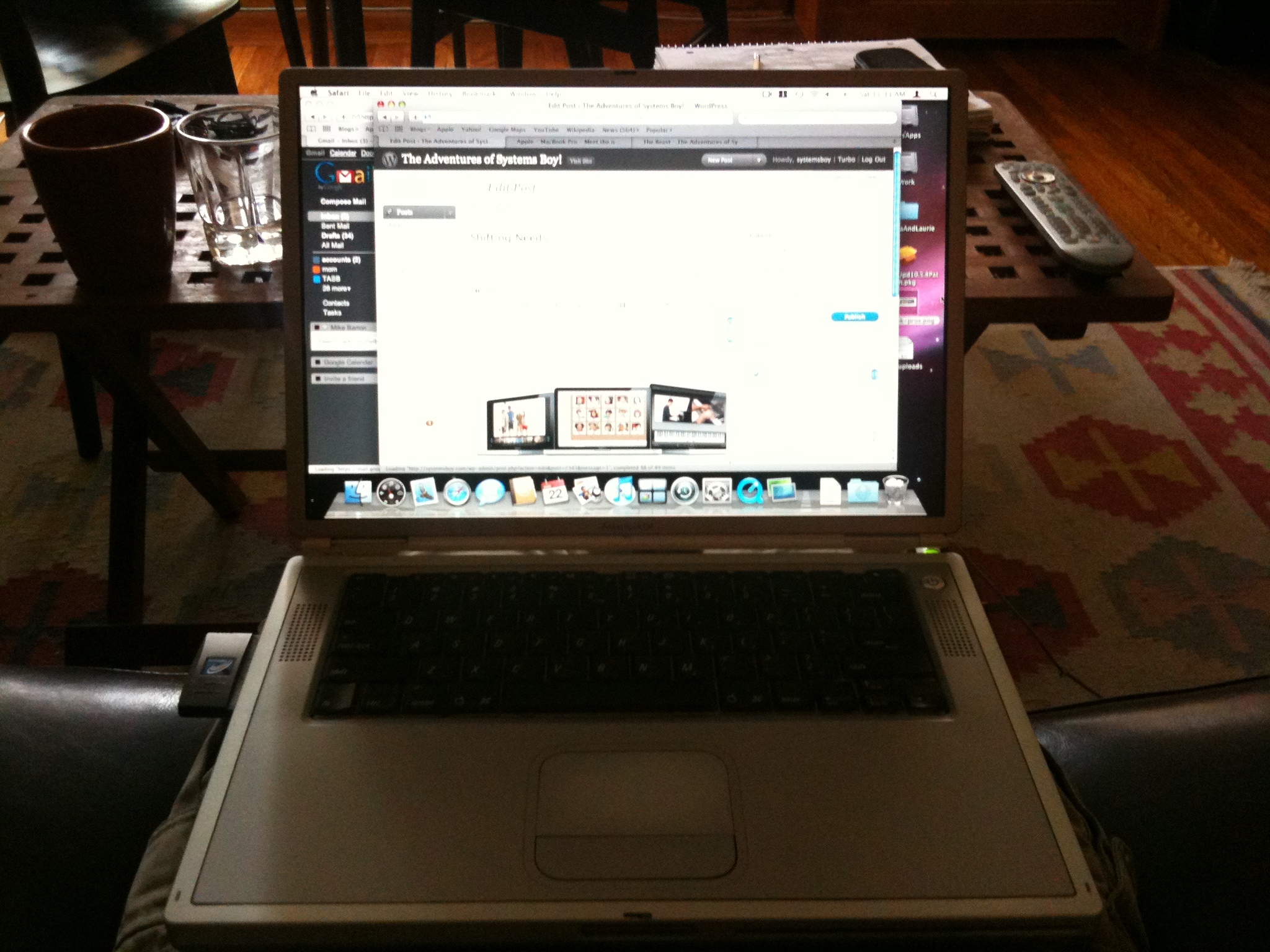
On a recent furniture-moving — and the resultant space-assessing — binge, I've started wanting to clean my life of unnecessary possessions. (Admittedly, a few episodes of that Hoarders show have helped to spur this on as well.) So I've been looking around the house for things I might reduce or cut altogether, space-saving measures. Since computers are a large part of my life, they naturally come under consideration. And when I honestly survey my computer usage I have to admit, I hardly ever use my tower anymore. Instead, my "primary computer" — if you can define "primary computer" as the computer you use the most — is my bajillion-year-old PowerBook Titanium. Yes, you heard me right. Titanium. Shit is old.

So... Old... So... Slow...

There are a bunch of reasons I prefer portability to power these days. One is that I'm doing far more lightweight work. Once was a time when I did a great deal of video work, and that meant compression. And working on and compressing video taxes nearly every resource a computer has, particularly the processor. These days, however, you can reverse most of that: I'm not doing much video at all lately (I've mostly shifted to drawing, which requires no computer resources whatsoever), and video is far less taxing than it once was. In fact, unless you're compressing numerous (like more than three or four) streams of video simultaneously, you'll probably do about as well on any of Apple's MacBook Pros. They're all plenty fast enough for most basic video needs. And my waning creation of video, and the increasingly powerful nature of computers have converged to make my video needs quite basic indeed.

The other big draw to the portability camp is space. I live in New York, and as any New Yorker knows, space is at a premium. A desktop system takes up all sorts of space. Not just the tower itself either. You need a desk, for one thing. You need all manner of cable, for another. And I keep my tower plugged into a giant Tripplite power conditioner, which also takes up a bunch of space. The square footage used by my tower system in my small Manhattan apartment is sinful at this point. It's just wrong. Especially considering that I hardly ever use it. And I hardly ever use it partly because it's become so ungainly to use, its crazy jumble of cables and peripherals all shoved together in a hot mass of discomfort at my small desk in my tiny office. Replaced by a laptop, the major problems associated with a tower go away.

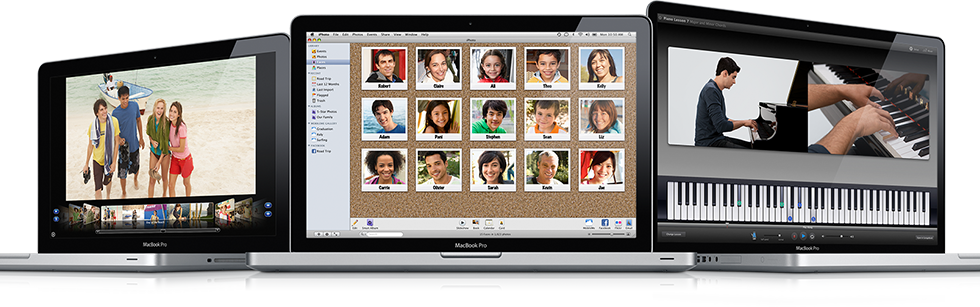
So I'm considering the 17" MacBook Pro. Since this will be replacing my tower, I would like something that has a bit of screen real estate and resolution. I mean, I'll still be doing some video, after all. The 17" also boasts longer battery life. It seems to me the best balance between the power and comfort of a desktop system and the portability and space-saving of a laptop. Plenty big for serious work, and yet, while not the most portable in the lineup, still plenty small to easily stow away when not in use.

The one big drawback to the 17" is the immense price tag it carries. For about $800 less I could get a 15" model, which, though perhaps not ideal, would certainly be plenty of machine for my current needs, and even more portable. And it's got that cool SD slot.

So I'm a bit on the fence. I suppose to some extent it comes down to how much cash I can get for my tower. I'm currently considering an even trade with a friend of mine for her 17", and if that goes through I think I'd be pretty pleased.

Nevertheless, I've never used a 17" MacBook Pro for any length of time. I'd be curious to hear from any 17" users on their experiences. Is the 17" comparable — or better, or worse — than a Desktop system? What are the drawbacks of these beasts? How inconvenient are they to lug around? Are they good for video?

I'd also love to hear from desktop-to-laptop switchers. Anyone out there make the switch? Are you glad you did? Do you miss your desktop system?

I've read all the MacBook reviews I could find, and they're glowing. But if you have any experiences you'd like to share, feel free to leave them in the comments. They'd be most welcome.

Pre-Ordering Snow Leopard

I've been on the fence for some time about whether or not to pre-order Snow Leopard, and, if I were to do so, which package I should get. There are two options under my consideration.

The first is the $29 Upgrade option. This option requires the user to already have a copy of Leopard. What this means exactly is unclear. It could simply mean that you will need to prove that you have purchased Leopard in order to qualify for purchasing or using the installer on this disc. Given Apple's lack of serial number tracking for their OS, though, I find this scenario unlikely. More likely is that the upgrade disc will require that Leopard has already been installed on the system, and then the upgrade disc will be used to literally upgrade that install to Snow Leopard. MacRumors even states:

"...the standalone OS X Snow Leopard, priced at $29, will require an existing installation of OS X 10.5 Leopard."

The second option is the Box Set option. The Box Set comes with iLife, iWork and a full installer for Snow Leopard, and is said to be required if you want to upgrade from Tiger (or, presumably, even older OSes). This option, though, is $169. And, though it remains to be seen, it appears to be the only option available at this time to those looking for a full installer disc.

Since no one is really sure what the final options will be, I've been holding off on pre-ordering Leopard, despite the fact that I'd really like to show my support as well as get the disc as soon as humanly possible. But now I'm reconsidering. Again.

I had originally said that the Upgrade option was a no-go for me, that, as a SysAdmin I felt I needed a full install of the OS as, traditionally, there had been much lacking with previous upgrade-style OS discs. (No, I can't recall offhand what they were, but there's definitely a red flag in my brain on these sorts of things, and it's there for a reason.) But I'm starting to think it's meant to be this way. That is, after reading up on the matter, it sounds like Apple intends Leopard owners to use the upgrade disk, that this is the preferred method of installing Snow Leopard. And frankly, the new installer tricks sound cool enough that I want to use that upgrade disk to check them out, see if they work, and, if nothing else report my findings. Yes, I'm considering it for the blogging potential. Plus, at $29 bucks you almost can't go wrong.

Here's the thing, though. Even though I already have iLife, and even though I certainly don't need — but wouldn't mind getting — a copy of iWork, I may find myself buying the Box Set at some point anyway. Just to have the full installer. And this makes me really back off the idea of getting the Upgrade option. So, here we are: Cognitive Dissonance City.

What I wish is that Daring Fireball had a pre-order link to the Box Set. I'd almost certainly do that. As it stands now, I've just about talked myself into getting both — pre-ordering the Upgrade and then getting the Box Set later.

How sick is that? Yes, I have problems.

UPDATE: Problem solved: Mr. Gruber has a page with pre-order links to all the various possible incarnations of Snow Leopard. I'll be pre-ordering the Box Set of Snow Leopard today.

UPDATE 2: I have just ordered the Snow Leopard Box Set. I'm assuming this will give me the best of all possible worlds — an upgrade install if I want it, and a full install if I need it. I also just realized that I will, in fact, be upgrading a Tiger system, so having the full, unfettered installer will be a real boon. And having iWork and an extra copy of iLife bundled in won't be so bad either. So there it is, done at last.

Just a final thank you to everyone who wrote in on this, both in this article's comments and here. Your input helped with this decision a lot. Thanks!

UPDATE 3: Just to follow up on this, there has been some discussion in the comments — and on the Internet at large — about the fact that the Snow Leopard Upgrade disc actually contains the full installer and that the Box Set is not physically required to upgrade from Tiger, though it is required in order to be compliant with the EULA. While part of me did feel a bit scammed by the vague nature of the pre-order language, I mostly feel quite pleased with Apple's policies governing OS updates: They are reasonably priced and extremely liberal in the restrictions on how and where they can be installed. Simply put, Apple does not require any sort of serial number input or product activation to use their updates; you buy them and are on your honor to abide by the EULA. Snow Leopard continues this proud tradition. While I do wish there were a cheaper legal option that didn't require me purchasing iLife and iWork, I'm still, overall, a very happy camper and am looking forward to receiving my Snow Leopard Box Set. In the end, no complaints here.

Mac OS X 10.5.8 Reduces Drive Space Usage

I'd day this is probably a first in my career. It appears that after installing the Mac OS X 10.5.8 update my drive space requirements have gone down.

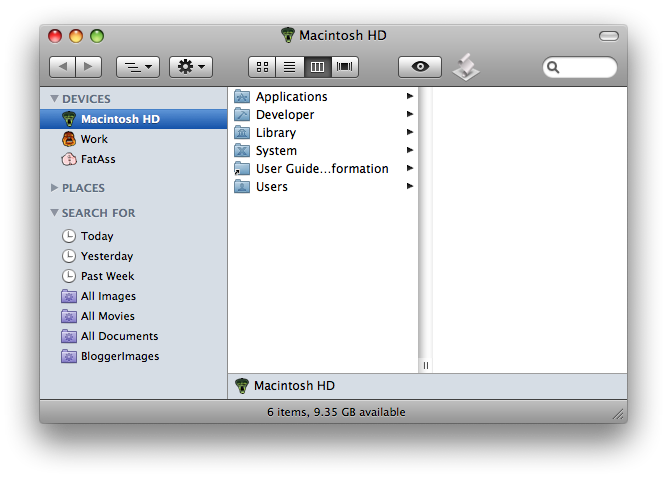
Before 10.5.8

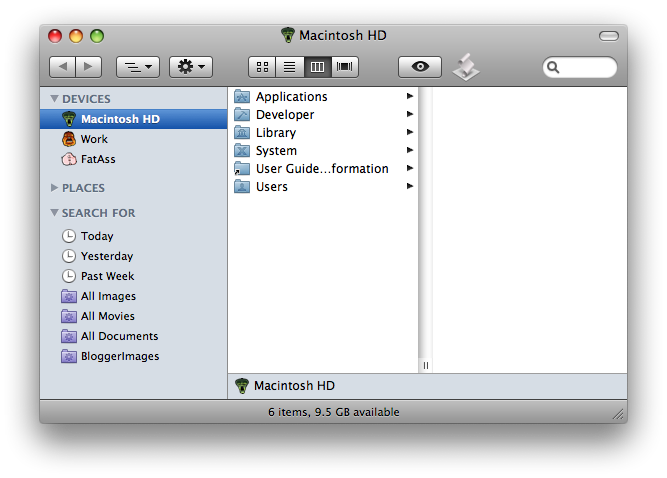
Yup, that's right, my System partition now occupies a bit less space than it did prior to the update. I'd first noticed this on my old PowerBook and thought I was going nuts. But after installing the update on my Intel tower as well, the results seem pretty consistent.

After 10.5.8

If this is the sort of thing we can expect in Snow Leopard, you can officially call me excited.

Now about those upgrade disks. Anyone know what's up with them?

Anyone?

UPDATE:

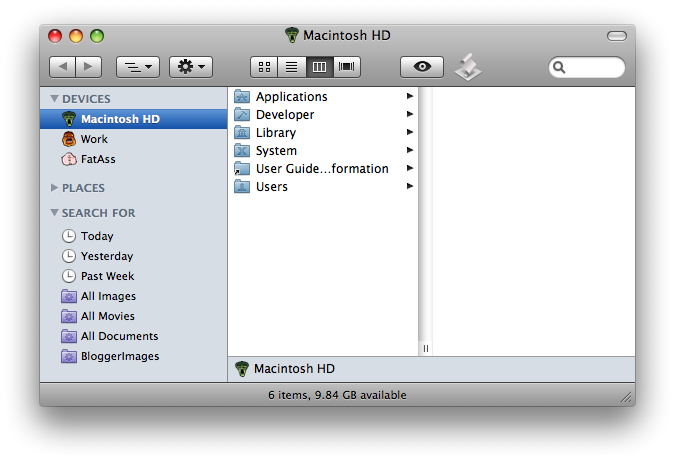
So I just installed three additional updates — Safari 4.0.3, Security Update 2009-004, and the latest GarageBand patch — and my available drive space has increased even more. One commenter has brought up the possibility that these space gains are simply due to swap files being deleted after a reboot. But all these screen shots — including the first one — are taken immediately after a reboot, so I don't think swap files should be a factor. Also, the gains on my PowerBook were significant enough to rule out swap. And now I'm seeing subsequent updates freeing up even more drive space.

After Additional Updates

No, I think something else is going on here. My suspicion is that we're beginning to see some of the sorts of efficiency improvements — like a smaller disk space footprint — that Snow Leopard is supposed to be all about. I suspect that whatever they're doing in Snow Leopard to reduce disk usage is making its way into the latest bunch of updates, and so these updates are actually decreasing the amount of disk space required by the OS.

But this is only a wild guess. For the record, I've got no more evidence than I'm presenting here, and have not been thorough nor the least bit scientific in my approach to this phenomenon, nor do I have time to investigate much beyond these observations.

I think you have to admit, though, if nothing else, it's quite odd to see a consistent increase in drive capacity after multiple system updates. This is not the usual way of things.

Random Thoughts

About all I have time or energy for at the moment is to note a few random items of interest. The first is Jeffrey Zeldman's Write  When Inspired (via Daring Fireball, of course). Take it as the rationale for the current blight of posts here. And take it as sage advice. Sometimes I beat myself up if I'm not posting very regularly, but in the end this is just personal site, it's a sideline, a hobby, but I really try to keep the quality as high as I can make it. So I'll post when I'm able to post well.

I've also discovered that Gruber doesn't grok Facebook:

Facebook is a good match for FriendFeed, insofar as I’ve never understood why I’d want to use either of them.

I'd just always thought that the desire to use Facebook is pretty self-explanatory. You hook up with people you know and like, or with people you've lost touch with. You may not want to do either of those things, but that's why you'd use it if you did. On the other hand, I don't get why anyone would want to use Twitter, which I understand Mr. Gruber does indeed use. So I'm working out a cockamamie theory that there are two types of people in the world: Facebook people and Twitter people, with somehow fundamentally different brain structures. Of course, in my theory the Facebook people are just a shade better than the Twitter people. It's got a long way to go.

Lastly, hysterical links one and two. Damn, that's some funny stuff.

Okay, so yeah, my reading's been pretty limited as well. In any case, hi Internet. It's been a while. But rest assured, I do have posts in the pipe. Coming soon.

But for now I rest.

Upgrade Disks Are for Non-SysAdmins

UPDATE: I knew there was something I was forgetting. (See why I'm laying off the writing?) I really want to show my support for Gruber and pre-order Snow Leopard via his site, but I'm unsure of the upgrade procedure. Seems the only version available is an "Upgrade" version. But what does that mean? Does that mean if I upgrade I'll get one of those funky upgrade disks? Does it mean I won't have a full install disk? 'Cause I'm not down with that. I'll gladly pay extra for a disk that lets me install the whole shebang from the single DVD. As a SysAdmin I simply cannot abide the hassle upgrade disks entail. So can anyone tell me definitively? Are the Snow Leopard disks available from Amazon full install disks?